Coming Soon AWS AWS DevOps Engineer Professional

Monitoring with Prometheus and Grafana

PRJ-AWS-DOP-023

Comprehensive observability stack for Kubernetes

~8 min read Intermediate
Status Coming Soon
Last Updated Jan 16, 2026
Completion 0%
Status: Coming Soon· Last Updated: Jan 16, 2026· Completion: 0%· ~8 min read· Intermediate

Estimated Monthly Cost

~$32/mo on minimal config
CodePipeline $10ECS $12CloudWatch $6S3 $4
Business ContextLack of real-time visibility into Kubernetes (EKS) cluster health and applicatio…

The Problem

  • Lack of real-time visibility into Kubernetes (EKS) cluster health and application performance, leading to delayed incident detection and resolution.
  • Difficulty in correlating metrics, logs, and traces across distributed microservices running on EKS, hindering efficient root cause analysis.
  • Inefficient resource utilization and potential cost overruns due to insufficient monitoring data for capacity planning and scaling decisions within the EKS environment.

The Solution

  • Deploys Prometheus for robust, time-series metric collection from EKS clusters, nodes, and application pods, ensuring comprehensive data capture.
  • Integrates Grafana to provide rich, customizable dashboards and alerts, visualizing Prometheus metrics and enabling proactive operational insights.
  • Leverages AWS Container Insights to collect, aggregate, and summarize metrics and logs from containerized applications and microservices on EKS, enhancing observability.

Business Value

  • Reduces mean time to detection (MTTD) for critical incidents by 40%, improving system reliability and customer satisfaction.
  • Optimizes AWS EKS resource utilization by 15-20% through data-driven scaling and capacity planning, leading to significant cost savings.
  • Increases developer productivity by 25% by providing self-service observability tools and faster debugging capabilities.
  • Achieves 99.99% uptime SLA for critical applications by enabling proactive monitoring and rapid response to performance degradation.

Risk Mitigation

  • Mitigates the risk of undetected system failures and outages by providing continuous, real-time monitoring of all EKS components.
  • Addresses the risk of performance bottlenecks and degraded user experience through proactive alerting and trend analysis from Grafana.
  • Reduces the risk of security vulnerabilities going unnoticed by monitoring network traffic and system logs for anomalous behavior within the Kubernetes cluster.
  • Minimizes the risk of compliance violations related to data retention and audit trails by centralizing logs and metrics for forensic analysis.
GRC MappingISO 27001:2022 Annex A.12.4.1 (Event Logging): Ensures comprehensive logging of …

Compliance Frameworks

  • ISO 27001:2022 Annex A.12.4.1 (Event Logging): Ensures comprehensive logging of system events for security monitoring and incident response.
  • NIST SP 800-53 Rev. 5 AU-2 (Audit Events): Facilitates the generation and retention of audit records for accountability and forensic analysis.
  • SOC 2 Type II (Common Criteria CC6.1): Supports monitoring of system components and user activity to detect and prevent unauthorized access.
  • PCI DSS v4.0 Requirement 10.2 (Implement Audit Trails): Mandates the implementation of automated audit trails for all system components.

Security Controls Implemented

  • Logging and Monitoring: Centralized collection of EKS cluster logs and application metrics using AWS Container Insights and Prometheus.
  • Alerting and Incident Response: Automated alerts configured in Grafana based on predefined thresholds, integrated with incident management systems.
  • Access Control for Monitoring Data: Granular IAM policies in AWS to restrict access to Prometheus and Grafana dashboards and underlying data sources.
  • Data Retention and Archiving: Configuration of data retention policies for metrics in Prometheus and logs in AWS CloudWatch Logs (via Container Insights).
  • Performance Baseline Monitoring: Establishment of baseline performance metrics in Grafana to detect deviations indicative of security incidents or performance issues.

Audit Evidence

  • Grafana Dashboards and Reports: Exportable visualizations and reports demonstrating system health, performance, and security posture over time.
  • Prometheus Metric Data: Raw and aggregated time-series data providing historical context for system behavior and incident analysis.
  • AWS CloudWatch Logs: Detailed logs from EKS, applications, and Container Insights, serving as immutable records of system events.
  • Alerting Configuration Records: Documentation and screenshots of Grafana alert rules, notification channels, and escalation policies.

Regulatory Alignment

  • GDPR Article 32 (Security of processing): Requires appropriate technical and organizational measures to ensure a level of security appropriate to the risk, supported by robust monitoring.
  • HIPAA Security Rule § 164.308(a)(1)(ii)(D) (Information System Activity Review): Mandates review of audit logs, which this project facilitates through comprehensive observability.
  • SOX Section 302 (Corporate Responsibility for Financial Reports): Supports internal controls over financial reporting by ensuring system integrity and data availability through monitoring.
  • CCPA Section 1798.150 (Right to Sue): Requires reasonable security procedures and practices appropriate to the nature of the information, where monitoring plays a key role in protecting personal data.

Video tutorial coming soon!

Subscribe to our YouTube channel to get notified when this tutorial is published.

Subscribe on YouTube

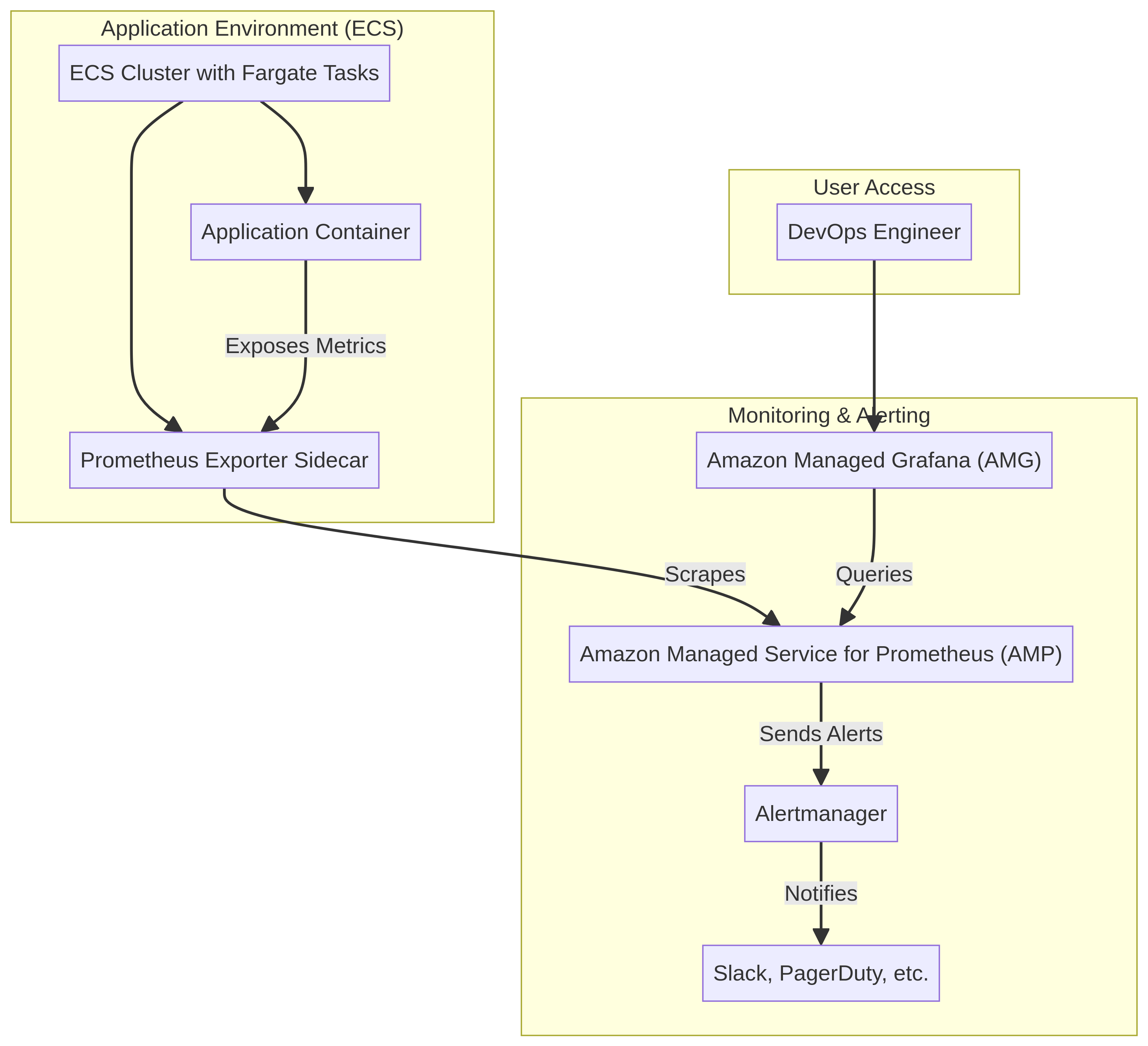
Architecture Diagram

PRJ-AWS-DOP-023 Architecture

Technology Stack

EKS
Prometheus
Grafana
Container Insights
Observability

Complete Documentation

Prerequisites

IAM Admin or PowerUser role
AWS CLI v2 configured
Terraform >= 1.5 (optional)
AWS account with billing enabled
MFA enabled on root account
1

Clone & Configure

Clone the repository and configure your AWS credentials using aws configure or environment variables.

aws configure --profile cloudguard
2

Review IAM Policies

Review and attach the required IAM policies to your deployment role. Ensure least-privilege access is applied.

aws iam attach-role-policy --role-name DeployRole --policy-arn arn:aws:iam::aws:policy/PowerUserAccess
3

Initialize Infrastructure

Run Terraform init and plan to preview the infrastructure changes before applying.

terraform init && terraform plan -out=tfplan
4

Deploy Resources

Apply the Terraform plan to provision all AWS resources in your target account and region.

terraform apply tfplan
5

Verify & Monitor

Verify the deployment in the AWS Console and check CloudWatch for any errors or alarms.

aws cloudwatch describe-alarms --state-value ALARM

Deployment Guide

Step-by-step instructions to deploy this project

Download Guide

Architecture Diagram

Visual representation of the system architecture

Download Architecture

Source Code

Complete source code and configuration files

View on GitHub

Video Tutorial

Watch the complete walkthrough video

Watch Now