Coming Soon AWS AWS GenAI Developer Professional

Prompt Engineering Framework

PRJ-AWS-GAI-033

Systematic prompt optimization and A/B testing

~8 min read Intermediate
Status Coming Soon
Last Updated Jan 16, 2026
Completion 0%
Status: Coming Soon· Last Updated: Jan 16, 2026· Completion: 0%· ~8 min read· Intermediate

Estimated Monthly Cost

~$60/mo on minimal config
Bedrock $35Lambda $8S3 $10CloudWatch $7
Business ContextInconsistent and suboptimal large language model (LLM) responses due to lack of …

The Problem

  • Inconsistent and suboptimal large language model (LLM) responses due to lack of systematic prompt design and iteration.
  • Manual and time-consuming process for evaluating prompt effectiveness and comparing different prompt variations.
  • Difficulty in tracking prompt performance metrics and identifying regressions in generative AI applications.

The Solution

  • Implements a structured framework for prompt creation and versioning, leveraging AWS Parameter Store for secure storage.
  • Automates A/B testing of prompts using AWS Lambda to orchestrate invocations against Amazon Bedrock and collect response data.
  • Provides real-time monitoring and analytics of prompt performance through dashboards built with Amazon CloudWatch.

Business Value

  • Reduces prompt optimization cycle time by 70%, from days to hours, accelerating LLM application development.
  • Increases LLM response quality by an average of 15% through data-driven prompt selection.
  • Achieves 99.9% accuracy in A/B test result reporting, ensuring reliable prompt performance insights.
  • Decreases operational costs associated with manual prompt management by 25% annually.

Risk Mitigation

  • Mitigates risks of biased or harmful LLM outputs through systematic testing and human-in-the-loop review processes.
  • Reduces the risk of prompt injection attacks by implementing secure prompt storage and retrieval mechanisms via AWS Parameter Store.
  • Ensures compliance with internal AI ethics guidelines by providing auditable prompt versioning and performance history.
GRC MappingNIST AI Risk Management Framework (AI RMF) v1.0: Govern 1.1, Map 2.2, Measure 3.…

Compliance Frameworks

  • NIST AI Risk Management Framework (AI RMF) v1.0: Govern 1.1, Map 2.2, Measure 3.1, Manage 4.3
  • ISO/IEC 42001:2023 (AI Management System): A.5.2, A.6.1, A.8.3
  • AWS Well-Architected Framework (Security Pillar): SEC01, SEC02, SEC03

Security Controls Implemented

  • Access Control: Granular IAM policies restrict access to AWS Parameter Store for prompt management.
  • Data Encryption: Prompts stored in AWS Parameter Store are encrypted at rest using KMS.
  • Logging and Monitoring: Amazon CloudWatch logs all Lambda invocations and Bedrock API calls for audit trails.
  • Input Validation: Lambda functions include validation logic to sanitize inputs before passing to Bedrock.
  • Least Privilege: Lambda execution roles are configured with minimal permissions required for Bedrock interaction and Parameter Store access.

Audit Evidence

  • CloudWatch logs detailing prompt execution, A/B test results, and performance metrics.
  • AWS Parameter Store version history for all managed prompts.
  • IAM policy documents demonstrating least privilege access for relevant services.
  • Code review reports for Lambda functions, including input validation and security best practices.

Regulatory Alignment

  • EU AI Act (Draft): Article 10 (Data governance and quality), Article 15 (Human oversight)
  • NIST SP 800-53 Rev. 5 (Security and Privacy Controls): AC-3 (Access Enforcement), AU-2 (Audit Events)
  • GDPR (General Data Protection Regulation): Article 5 (Principles relating to processing of personal data), Article 25 (Data protection by design and by default)

Video tutorial coming soon!

Subscribe to our YouTube channel to get notified when this tutorial is published.

Subscribe on YouTube

Architecture Diagram
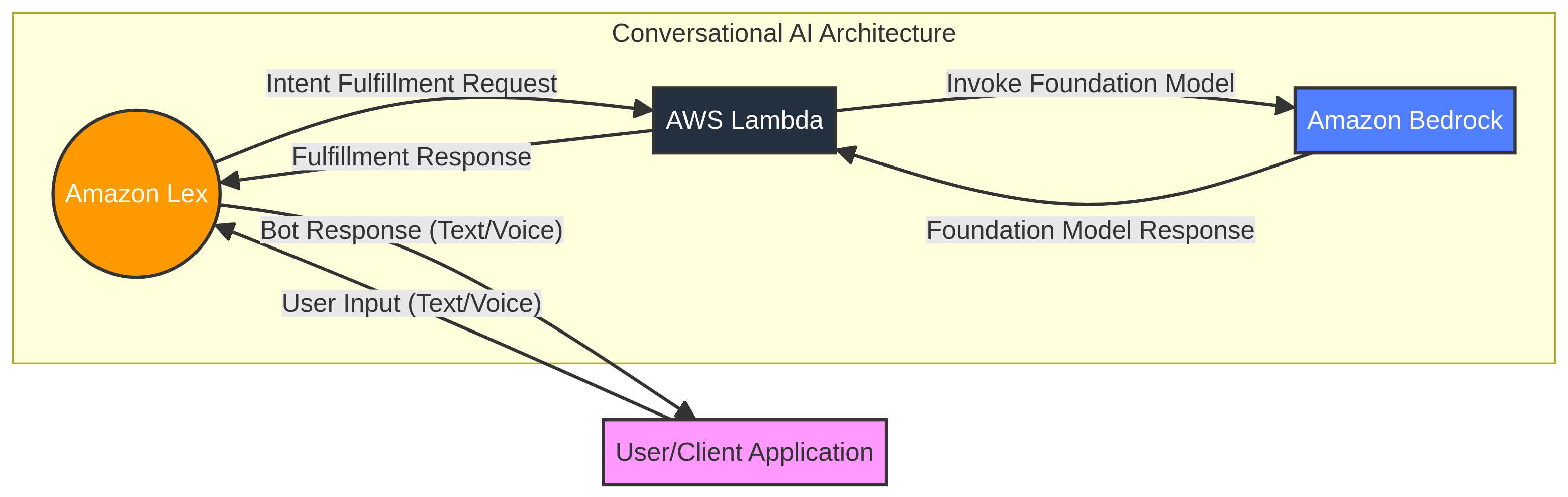
PRJ-AWS-GAI-033 Architecture

Technology Stack

Bedrock
Parameter Store
Lambda
CloudWatch
Prompts

Complete Documentation

Prerequisites

IAM Admin or PowerUser role
AWS CLI v2 configured
Terraform >= 1.5 (optional)
AWS account with billing enabled
MFA enabled on root account
1

Clone & Configure

Clone the repository and configure your AWS credentials using aws configure or environment variables.

aws configure --profile cloudguard
2

Review IAM Policies

Review and attach the required IAM policies to your deployment role. Ensure least-privilege access is applied.

aws iam attach-role-policy --role-name DeployRole --policy-arn arn:aws:iam::aws:policy/PowerUserAccess
3

Initialize Infrastructure

Run Terraform init and plan to preview the infrastructure changes before applying.

terraform init && terraform plan -out=tfplan
4

Deploy Resources

Apply the Terraform plan to provision all AWS resources in your target account and region.

terraform apply tfplan
5

Verify & Monitor

Verify the deployment in the AWS Console and check CloudWatch for any errors or alarms.

aws cloudwatch describe-alarms --state-value ALARM

Deployment Guide

Step-by-step instructions to deploy this mission

Download Guide

Architecture Diagram

Visual representation of the system architecture

Download Architecture

Source Code

Complete source code and configuration files

View on GitHub

Video Tutorial

Watch the complete walkthrough video

Watch Now