Business Context
Understanding the real-world value and application
The Problem
- Lack of centralized model governance and version control leads to deployment of unapproved or outdated models, increasing operational risk.
- Manual and inconsistent ML model deployment processes introduce errors, delays, and significant overhead in bringing models to production.
- Difficulty in tracking model lineage, performance metrics, and reproducibility, hindering effective debugging, auditing, and compliance efforts.
The Solution
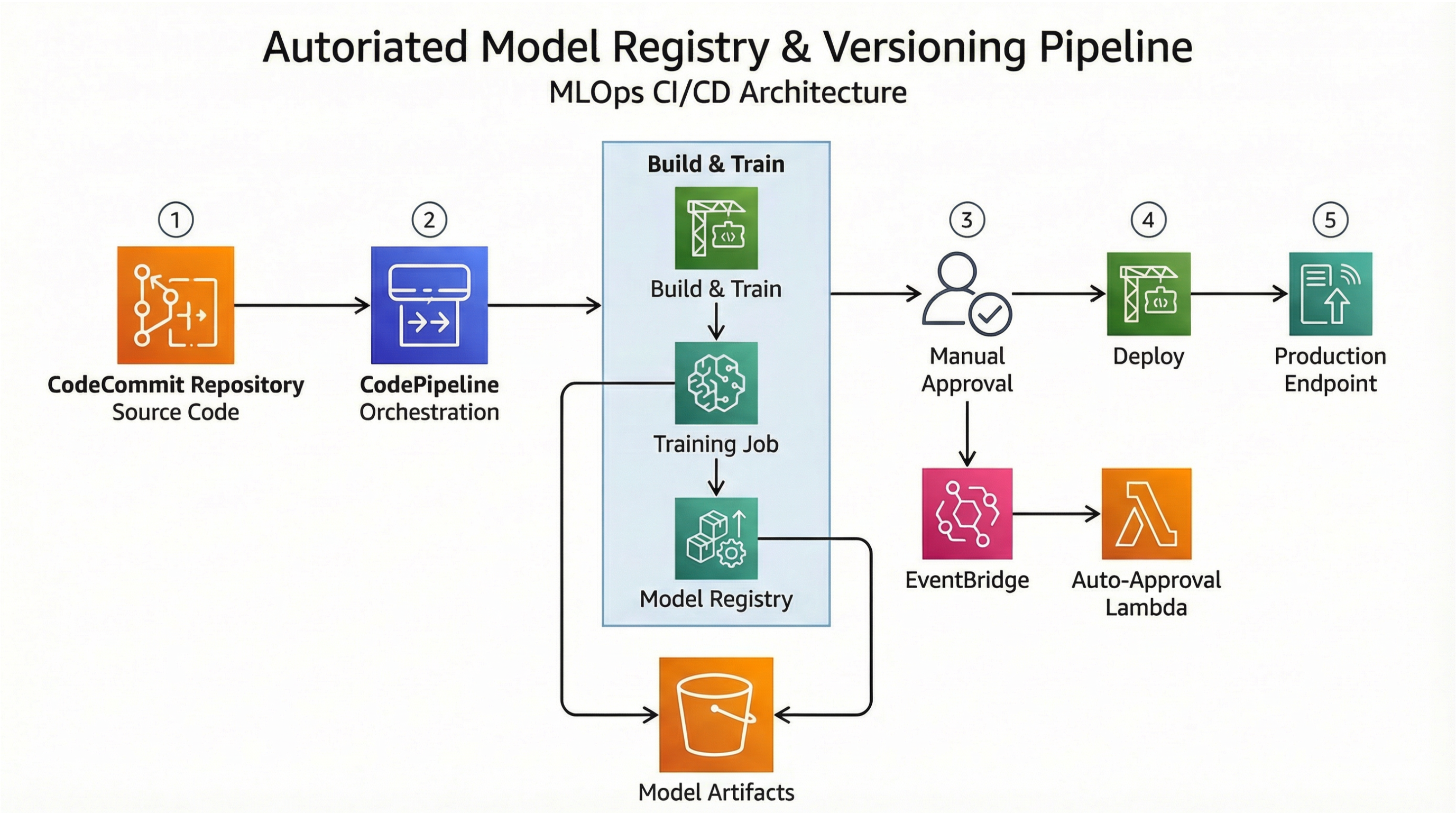
- Implements AWS SageMaker Model Registry for centralized cataloging, versioning, and management of ML models, ensuring governance and discoverability.
- Establishes automated CI/CD pipelines using AWS CodePipeline to streamline model build, test, and deployment, integrating with automated approval gates.
- Leverages AWS EventBridge to trigger automated workflows and notifications for model lifecycle events, ensuring timely actions and oversight.
Business Value
- Reduces ML model deployment time by 70%, from weeks to days, accelerating time-to-market for new features and improvements.
- Decreases model-related production incidents by 40% through automated testing, validation, and approval workflows.
- Improves model auditability and compliance readiness by providing a complete, immutable history of model versions and deployments.
- Increases data scientist productivity by 25% by automating repetitive deployment tasks and reducing manual intervention.
Risk Mitigation
- Mitigates the risk of deploying unvalidated models by enforcing automated testing and explicit approval steps within CodePipeline.
- Reduces human error and configuration drift through infrastructure as code (IaC) and automated deployment processes.
- Addresses data privacy and security risks by integrating with AWS IAM for fine-grained access control to SageMaker Model Registry.
- Ensures business continuity and rapid rollback capabilities through robust model versioning and artifact storage in SageMaker Model Registry.