Mission Complete AWS AWS Advanced Networking Specialty

Network Performance Monitoring

PRJ-AWS-NET-040

Network traffic analysis and optimization

~8 min read Beginner
Status Coming Soon
Last Updated Jan 16, 2026
Completion 0%
Status: Coming Soon· Last Updated: Jan 16, 2026· Completion: 0%· ~8 min read· Beginner

Estimated Monthly Cost

~$25/mo on minimal config
VPC $0Transit GW $15Route53 $6CloudWatch $4
Business ContextDifficulty in identifying network bottlenecks and performance degradation in com…

The Problem

  • Difficulty in identifying network bottlenecks and performance degradation in complex AWS VPC environments, leading to suboptimal application performance.
  • Lack of centralized visibility into network traffic patterns and anomalies across multiple AWS accounts and regions, hindering effective security monitoring.
  • Inefficient resource utilization and increased operational costs due to unoptimized network configurations and unmonitored data transfer.

The Solution

  • Implements `VPC Flow Logs` to capture detailed IP traffic information for all network interfaces within VPCs, providing granular visibility into network communication.
  • Utilizes `CloudWatch` for real-time monitoring of key network metrics, enabling proactive alerting and rapid response to performance deviations and security events.
  • Leverages `Athena` to query and analyze large volumes of VPC Flow Logs stored in S3, facilitating deep insights into traffic patterns, security incidents, and compliance auditing.

Business Value

  • Reduces network troubleshooting time by 70%, improving Mean Time To Resolution (MTTR) for network-related incidents.
  • Optimizes network costs by identifying and eliminating unnecessary traffic, leading to a 15-20% reduction in data transfer expenses.
  • Enhances application performance by proactively identifying and resolving network bottlenecks, resulting in a 10% improvement in latency-sensitive applications.
  • Ensures compliance with internal and external network security policies through comprehensive traffic visibility and audit trails.

Risk Mitigation

  • Addresses the risk of undetected network intrusions and unauthorized access by providing detailed flow logs for security analysis and anomaly detection.
  • Mitigates the risk of service outages due to network overloads or misconfigurations through proactive monitoring and alerting with CloudWatch.
  • Reduces the risk of data exfiltration by enabling deep inspection of outbound network traffic patterns and identifying suspicious data transfers.
GRC Mapping`NIST Cybersecurity Framework (CSF)`: Detect (DE.CM-4: Monitoring of network eve…

Compliance Frameworks

  • `NIST Cybersecurity Framework (CSF)`: Detect (DE.CM-4: Monitoring of network events), Respond (RS.AN-1: Analysis of detected events)
  • `ISO 27001:2022`: A.8.16 (Monitoring of information systems), A.5.21 (Management of technical vulnerabilities)
  • `PCI DSS v4.0`: Requirement 1.2.1 (Review firewall and router rule sets at least every six months), Requirement 10.2.1 (Implement automated audit trails for all system components)

Security Controls Implemented

  • Network traffic logging and analysis using `VPC Flow Logs` for anomaly detection and forensic investigations.
  • Real-time network performance monitoring and alerting via `CloudWatch` for critical thresholds and unusual activity.
  • Centralized log aggregation and querying with `Athena` for efficient security event management and incident response.
  • Dashboard visualization of network security posture and traffic patterns using `QuickSight`.
  • Automated monitoring of network configuration changes to ensure adherence to security baselines.

Audit Evidence

  • `VPC Flow Logs` archives stored in S3, demonstrating comprehensive network traffic recording.
  • `CloudWatch` metrics and alarm history, providing proof of continuous monitoring and incident alerts.
  • `Athena` query logs and results, showcasing network traffic analysis and security investigations.
  • `QuickSight` dashboards and reports, illustrating network performance trends and security posture over time.

Regulatory Alignment

  • `GDPR`: Article 32 (Security of processing), requiring measures to ensure a level of security appropriate to the risk, including the ability to restore availability and access to personal data in a timely manner in the event of a physical or technical incident.
  • `HIPAA`: 45 CFR § 164.308(a)(1)(ii)(D) (Information System Activity Review), requiring regular review of information system activity, including audit logs, access reports, and security incident tracking.
  • `SOC 2 Type 2`: Common Criteria CC6.1 (Logical and Physical Access Controls), requiring controls to prevent or detect unauthorized access to systems and data, often evidenced by network monitoring.

Video tutorial coming soon!

Subscribe to our YouTube channel to get notified when this tutorial is published.

Subscribe on YouTube

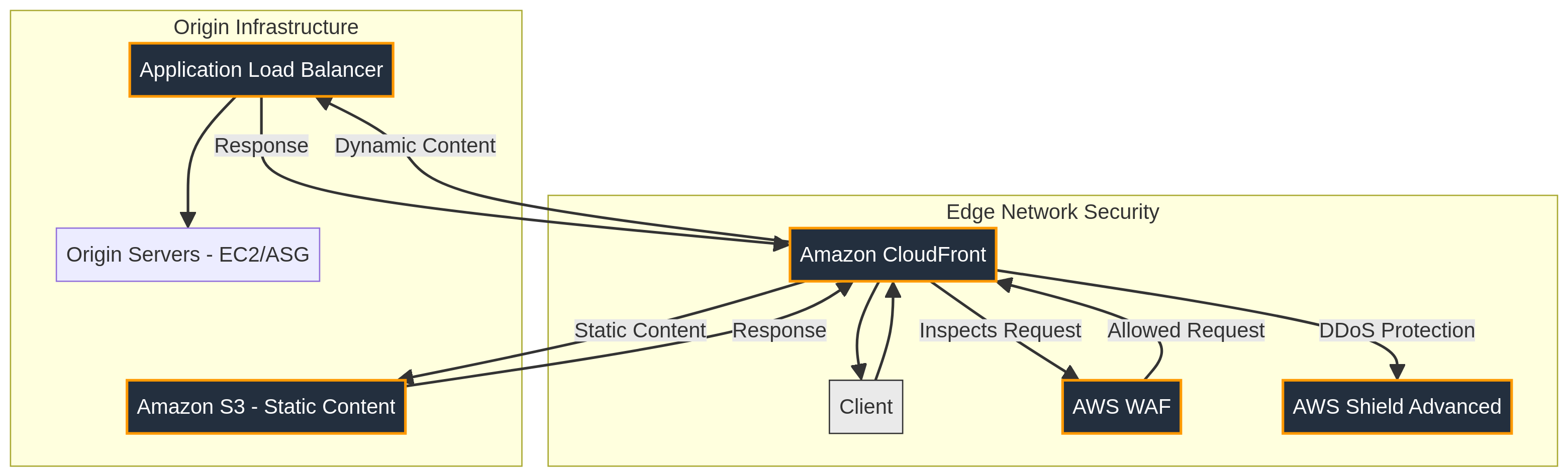
Architecture Diagram

PRJ-AWS-NET-040 Architecture

Technology Stack

VPC Flow Logs
CloudWatch
Athena
QuickSight
Monitoring

Complete Documentation

Prerequisites

IAM Admin or PowerUser role
AWS CLI v2 configured
Terraform >= 1.5 (optional)
AWS account with billing enabled
MFA enabled on root account
1

Clone & Configure

Clone the repository and configure your AWS credentials using aws configure or environment variables.

aws configure --profile cloudguard
2

Review IAM Policies

Review and attach the required IAM policies to your deployment role. Ensure least-privilege access is applied.

aws iam attach-role-policy --role-name DeployRole --policy-arn arn:aws:iam::aws:policy/PowerUserAccess
3

Initialize Infrastructure

Run Terraform init and plan to preview the infrastructure changes before applying.

terraform init && terraform plan -out=tfplan
4

Deploy Resources

Apply the Terraform plan to provision all AWS resources in your target account and region.

terraform apply tfplan
5

Verify & Monitor

Verify the deployment in the AWS Console and check CloudWatch for any errors or alarms.

aws cloudwatch describe-alarms --state-value ALARM

Deployment Guide

Step-by-step instructions to deploy this mission

Download Guide

Architecture Diagram

Visual representation of the system architecture

Download Architecture

Source Code

Complete source code and configuration files

View on GitHub

Video Tutorial

Watch the complete walkthrough video

Watch Now